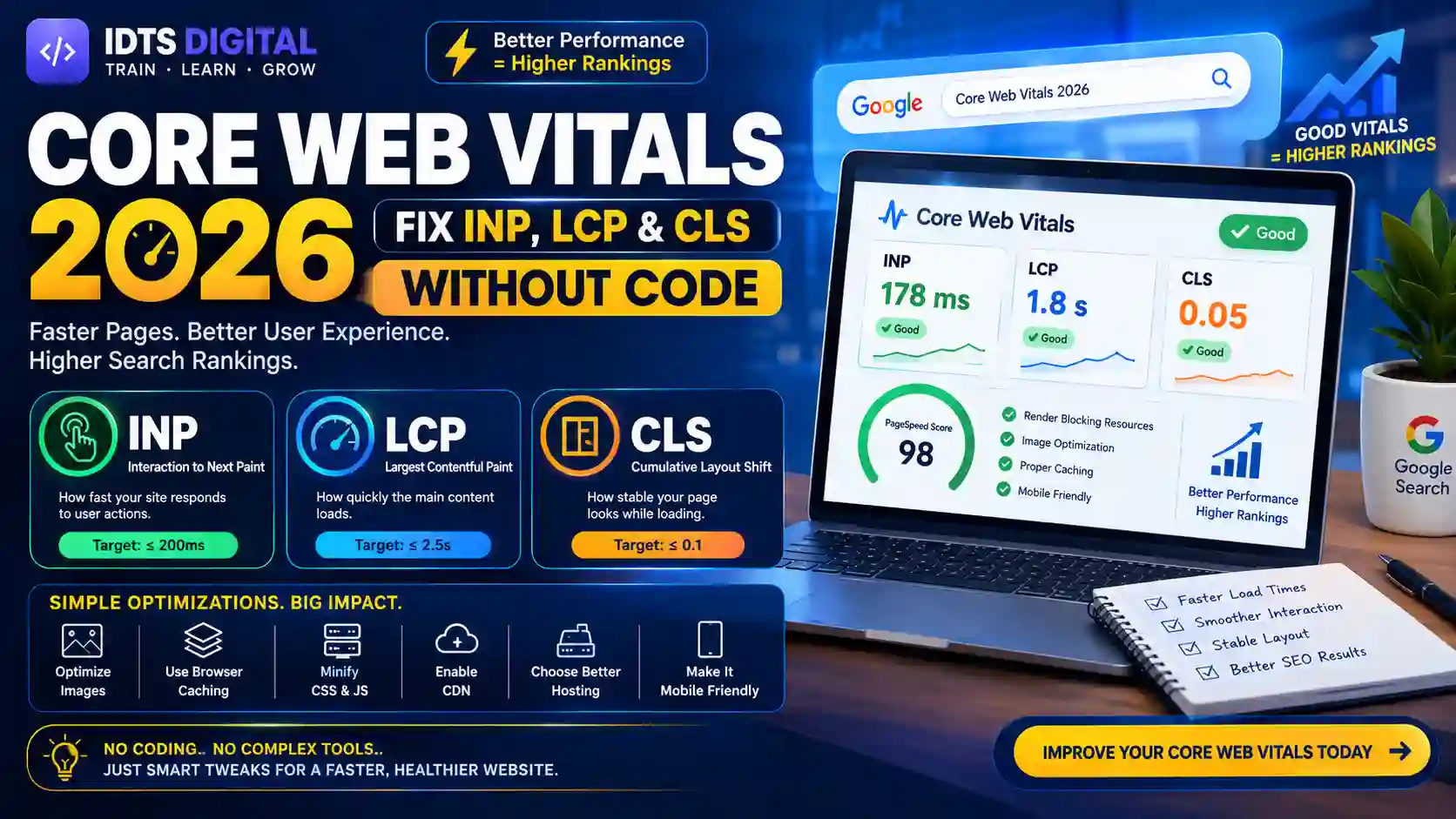
Meta title: Core Web Vitals in 2026: Fix INP, LCP and CLS Without a Developer
Meta description: Learn how to fix INP, LCP and CLS without a developer. Plain-English steps, free tools, thresholds and a checklist to pass Core Web Vitals in 2026.
Suggested URL slug: /blog/core-web-vitals-2026-fix-inp-lcp-cls-without-developer
Core Web Vitals in 2026: Fixing INP, LCP and CLS Without a Developer
Core Web Vitals are three Google metrics that measure loading (LCP), responsiveness (INP) and visual stability (CLS). A good LCP is 2.5 seconds or less, a good INP is 200 milliseconds or less, and a good CLS is 0.1 or less. You can fix most problems without a developer by optimizing images, trimming scripts, enabling caching and reserving space for page elements.
You open your site on your phone. The page jumps, the button doesn't respond, and the main image takes forever to appear. Your visitors feel the same thing, and so does Google.
If you run a small business, a blog or a store, you probably don't have a developer on call. That's fine. Most Core Web Vitals problems come from a handful of repeating causes, and you can fix the majority of them yourself with settings, plugins and good habits.
This guide explains Core Web Vitals in 2026 in plain language. You'll learn what each metric means, how to test your site for free, and how to fix INP, LCP and CLS step by step. We also cover how Core Web Vitals connect to rankings and AI search, what to expect in Pakistan, and when it makes sense to call an expert.
Key Takeaways (TL;DR)
- Core Web Vitals are LCP (loading), INP (responsiveness) and CLS (visual stability).
- INP replaced FID in March 2024, and it remains the responsiveness metric today.
- Google measures these on real users at the 75th percentile, so field data beats lab scores.
- Core Web Vitals are a ranking signal, but they work as a tiebreaker. Helpful content still matters most.
- Fast, stable pages also lift conversions and make your content easier for AI systems to fetch and cite.
- Most fixes need no code: compress images, preload the hero image, delay heavy scripts, set image dimensions and use quality hosting.
What Are Core Web Vitals?
Core Web Vitals are a set of three user-experience metrics defined by Google: Largest Contentful Paint (LCP), Interaction to Next Paint (INP) and Cumulative Layout Shift (CLS). Together they describe how fast your page loads, how quickly it reacts, and how stable it feels.
Think of walking into a shop. LCP is how fast the lights come on and the shelves appear. INP is how quickly the staff respond when you ask a question. CLS is whether the products keep moving around while you're trying to pick one up.
Google's official Web Vitals documentation on web.dev lists these three as the core set. They are part of a bigger family called "Web Vitals," which also includes supporting metrics such as Time to First Byte (TTFB) and First Contentful Paint (FCP). Those extra metrics help you diagnose problems, but they aren't part of the official Core Web Vitals trio.
The Three Core Web Vitals in 2026
Largest Contentful Paint (LCP) measures how long it takes for the biggest visible element, usually a hero image, banner or headline block, to appear. It tells you whether the page feels like it has loaded.
Interaction to Next Paint (INP) measures how quickly your page visually responds after a user taps, clicks or presses a key. It looks at the interactions across a whole visit and reports one of the slowest ones.
Cumulative Layout Shift (CLS) measures how much visible content moves unexpectedly while the page loads. A high score means annoying jumps, like tapping "Buy" and hitting an ad instead.
The Official Thresholds
Here are the numbers to remember. Google measures them at the 75th percentile of page loads, separately for mobile and desktop.
LCP: Good is 2.5 seconds or less. Needs improvement is 2.5 to 4 seconds. Poor is over 4 seconds.
INP: Good is 200 milliseconds or less. Needs improvement is 200 to 500 milliseconds. Poor is over 500 milliseconds.
CLS: Good is 0.1 or less. Needs improvement is 0.1 to 0.25. Poor is over 0.25.
Thresholds can change, so double-check them on web.dev before you publish reports for clients.
A Short History: From FID to INP
The story helps you understand why INP matters so much now.
Google announced Core Web Vitals in 2020, and they became part of the page experience ranking signals in 2021. The original trio was LCP, CLS and First Input Delay (FID). FID only measured the delay before the browser started handling the very first interaction. A site could pass FID easily and still feel sluggish afterwards.
That is why Google replaced it. INP replaced FID as a Core Web Vital on March 12, 2024. Google explained the change in its announcement on web.dev. INP looks at all interactions, not just the first, and it includes the time until the screen visually updates.
In practice, the switch made many sites that looked fine suddenly "fail." If your Search Console report shows INP issues, you're not alone.
FID vs INP: What's the Difference?
FID measured only the first input and only the delay before processing began. INP measures nearly every click, tap and key press during a visit, and covers the full journey: input delay, processing time and the time to paint the next frame.
Because INP is stricter, it's now the hardest of the three for many sites, especially WordPress and Shopify sites loaded with apps, plugins and tracking scripts.
Are Core Web Vitals a Google Ranking Factor?
Yes, but a modest one. Google's own page experience guidance on Search Central says its ranking systems favor pages that offer good experiences. It also says great content with a mediocre experience can still rank well.
So treat Core Web Vitals as a tiebreaker. When two pages answer a query equally well, the faster, steadier page has the edge. If your content is weak, perfect scores won't save you. If your content is strong and your site is painfully slow, you're leaving rankings and revenue on the table.
For a broader view of what moves rankings this year, read our SEO 2026 Google ranking guide.
How Core Web Vitals Affect Business Results
The ranking effect is only half the story. The bigger impact is on behavior.
- Bounce rate: Slow pages lose visitors before they read a word. Widely cited Google-commissioned research found that more than half of mobile visits are abandoned when a page takes longer than three seconds to load.
- Conversion rate: Stable, responsive pages build confidence. Buttons that move or freeze make people leave checkout.
- Ad and sales revenue: Layout shifts cause accidental clicks and frustrated users, which hurts both trust and earnings.
- Crawling: Faster servers let Googlebot fetch more of your pages with less strain.
In short, good vitals protect the traffic you already earn.
Do Core Web Vitals Affect AI Overviews?
There is no official statement that Core Web Vitals are a direct input to AI Overviews. But there is a clear indirect link. AI Overviews pull from pages that Google already ranks and trusts. Pages that load quickly, render cleanly and don't time out are easier to fetch, parse and cite. Slow, unstable pages create friction for crawlers and for readers alike.
Strong structure helps too. If you want to be cited in AI answers, pair good performance with clear headings, direct answers and entity-rich content. Our guides on generative engine optimization and GEO for ChatGPT, Gemini and Perplexity walk through how to do that.
Why Core Web Vitals Matter Even More in Pakistan
Most visitors in Pakistan browse on mid-range Android phones, often on mobile data that changes from strong to patchy within a single commute. Google's field data comes from real Chrome users, so this reality shows up in your scores.
A site that feels instant on your office Wi-Fi and a new laptop can feel slow on a budget phone in Rawalpindi or Multan. Mobile-first indexing also means Google judges the mobile version of your page first.
Hosting makes a difference too. A server far from your audience adds delay before your page even starts to load. Many small business sites in Pakistan also run heavy themes, page builders and a pile of plugins, which hurts INP and LCP together.
The upside is real. Because so many local competitors ignore performance, a clean, fast site is a genuine advantage. If you're building or rebuilding, our website development in Pakistan 2026 guide and website cost in Pakistan 2026 will help you plan.
Lab Data vs Field Data: Which Should You Trust?
This is where most beginners get confused, so let's make it simple.
Lab data comes from a simulated test, run once, on a controlled device and connection. Lighthouse is the best-known example. It's great for debugging because it's repeatable.
Field data comes from real people visiting your site. Google collects it through the Chrome User Experience Report (CrUX) and uses it for ranking and for the Core Web Vitals report in Search Console. Field data covers a rolling 28-day window.
Trust field data to know whether you pass. Use lab data to find out why you fail. A perfect Lighthouse score doesn't guarantee passing in the field, and a mediocre one doesn't mean you fail.
Also note that Lighthouse doesn't measure INP the way field data does, because it can't simulate real user interactions the same way. It uses Total Blocking Time (TBT) as a rough proxy.
Is a PageSpeed Insights Score the Same as Core Web Vitals?
No. The big colored score in PageSpeed Insights is a Lighthouse performance score from 0 to 100. Core Web Vitals are the individual LCP, INP and CLS numbers, and the "Core Web Vitals Assessment: Passed/Failed" label at the top is based on field data. Focus on that label and the three metrics, not the number inside the circle.
How to Check Your Core Web Vitals (Free Tools)
You don't need paid software to run a Core Web Vitals audit. Start with these free options.
- PageSpeed Insights: Paste a URL and see both field data (real users) and lab data. Check mobile first.
- Google Search Console: The Core Web Vitals report groups URLs into good, needs improvement and poor, so you can fix problems in batches.
- Chrome DevTools: Useful when you want to see long tasks and layout shifts in action.
- GTmetrix: Gives waterfall charts that show which files slow you down.
- WebPageTest: Lets you test from different locations and on slower connections, which is helpful for audiences like Pakistan.
- The web-vitals JavaScript library: For real user monitoring (RUM). It's more technical, but a developer can set it up in minutes.
How to Read the Search Console Report
Open Search Console, choose Core Web Vitals and review Mobile first. You'll see issue labels like "LCP issue: longer than 2.5 seconds," "CLS issue: more than 0.1" and "INP issue: longer than 200 ms." Click an issue to see grouped URLs. Pages built from the same template usually share the same cause, so one fix often clears a whole group.
After you fix something, click "Validate Fix." Be patient: validation can take about 28 days because Google needs enough fresh field data. If your Core Web Vitals report isn't updating, that's normal. It reflects a rolling window, not a live feed.
Why "Core Web Vitals Assessment Failed" Happens
A page fails if any one of the three metrics misses the "good" threshold at the 75th percentile. Passing two out of three still counts as failing. It's also common for a low-traffic page to show no field data at all, in which case Google may evaluate the origin or similar pages instead.
How to Fix LCP Without a Developer
To fix a slow LCP, make your main image or text block appear sooner: compress and resize the hero image, preload it, never lazy-load it, speed up your server and remove render-blocking files. Google's LCP optimization guide breaks LCP into four parts: server response, resource load delay, resource load time and render delay. Each of the fixes below targets one of those.
Step 1: Find Your LCP Element
Run your page through PageSpeed Insights and scroll to the diagnostics section. It names the LCP element. On most pages it's a hero image, a slider image or a big heading. Fix that specific element first.
Step 2: Compress and Resize the Hero Image
Large images are the number one LCP killer. Here's what to do:
- Export images at the size they're actually displayed, not 4000 pixels wide for a 400-pixel slot.
- Convert to WebP or AVIF, which are much lighter than JPEG or PNG at similar quality.
- Use responsive images so phones download smaller files. Most WordPress themes and Shopify's image tools handle this automatically.
- Use a free compressor or a plugin that converts and serves modern formats.
Step 3: Preload the Hero Image and Don't Lazy-Load It
Lazy loading is great for images below the fold, but it delays anything you apply it to. If your hero image is lazy-loaded, LCP suffers. Most caching plugins let you exclude the first image from lazy loading and preload it. In WordPress, tools like WP Rocket and Perfmatters offer this setting.
Step 4: Improve Server Response Time (TTFB)
If your server is slow, nothing else can fully rescue LCP. Look at your hosting quality first. Cheap shared hosting that's far from your audience is a frequent culprit.
- Turn on page caching.
- Use a content delivery network (CDN) such as Cloudflare, which serves files from servers closer to visitors.
- Choose hosting with solid performance and a data center near your main audience.
Step 5: Remove Render-Blocking Resources
CSS and JavaScript files can block the page from showing. Plugins like LiteSpeed Cache and Autoptimize can minify files, combine them, generate critical CSS and defer non-essential scripts. Change one setting at a time and test your site after each change, because aggressive options can break layouts.
Step 6: Load Fonts Smartly
Custom fonts can delay text and cause shifts. Use font-display: swap so text appears right away in a fallback font. Limit the number of font families and weights. Google explains the technique in its font-display guide.
How to Reduce LCP on Mobile
Mobile is where LCP usually fails. Serve smaller images to phones, skip heavy sliders and video backgrounds on mobile, and avoid large pop-ups at load. A simple hero with one compressed image beats a fancy carousel every time.
For a deeper WordPress walkthrough, see our WordPress speed optimization 2026 guide.
How to Fix INP Without a Developer
To fix a poor INP, reduce the work your browser does after a tap or click: delay or remove third-party scripts, cut unused plugins and apps, simplify your page and avoid heavy animations. Google's guide to optimizing INP explains that INP problems almost always come from too much JavaScript running on the main thread.
When the main thread is busy with a "long task" (anything over 50 milliseconds), it can't respond to a tap. The user sees nothing happen, and INP gets worse.
Step 1: Identify What Is Blocking the Main Thread
Use PageSpeed Insights diagnostics, GTmetrix or Chrome DevTools to see which scripts take the longest. Look at JavaScript execution time and Total Blocking Time (TBT). Usual suspects include chat widgets, pop-up builders, heat-map tools, social feeds, tracking pixels and ad scripts.
Step 2: Audit Your Plugins, Apps and Third-Party Scripts
Be honest about what you actually need. Every plugin, Shopify app and tracking tag adds code.
- Deactivate and delete plugins you don't use.
- Replace multi-purpose "heavy" plugins with lighter single-purpose ones.
- Remove duplicate analytics or pixel tags.
- Load chat widgets and social embeds only after the user interacts, or only on pages that need them.
Step 3: Delay and Defer JavaScript
Most optimization plugins include "delay JavaScript execution" and "defer JavaScript" options. These postpone non-critical scripts until after the page loads or the user interacts. Done carefully, they can noticeably cut input delay. Always test the menu, cart, forms and search after enabling them.
Step 4: Simplify Your Page
Giant pages with thousands of HTML elements make every interaction more expensive, because the browser has more to recalculate. Use fewer sections, avoid stacking dozens of widgets, and break very long pages into smaller ones. Page builders like Elementor, Wix and Webflow are convenient, but heavy templates can slow responsiveness, so choose lean layouts and skip unnecessary effects.
Step 5: Keep Animations and Effects Light
Parallax, sliders, sticky effects and big hover animations tax the main thread. Replace them with simple CSS transitions or remove them on mobile.
How to Improve INP on Shopify
Shopify's biggest INP risk is apps. Review your installed apps, remove anything that isn't earning its keep, and check whether leftover app code remains in your theme after uninstalling. Choose a lightweight theme, limit pop-ups and test your product, collection and cart pages separately. If you're deciding between platforms, our Shopify vs WooCommerce comparison helps you weigh performance and flexibility.
INP in Single-Page Apps and Embedded Content
Single-page applications can be tricky because navigation happens without a full page load. Google is working on how soft navigations should be measured, so check web.dev for the latest status. Third-party iframes, like video players and ads, can also drag down responsiveness, so load them on demand.
How to Fix CLS Without a Developer
To fix layout shifts, reserve space for everything that loads late: add width and height to images, set fixed containers for ads and embeds, preload fonts and avoid injecting content above existing content. Google's CLS optimization guide calls these the most common causes.
Fix Layout Shift Caused by Images Without Dimensions
When an image has no declared size, the browser doesn't know how much space to leave. The text jumps when the image arrives. Always include width and height attributes, or use a CSS aspect-ratio. Most modern WordPress versions add dimensions automatically, but older themes and custom-inserted images may not.
Fix Layout Shift Caused by Ads and Embeds
Ads, YouTube videos, maps and social embeds all load late. Give them a container with a fixed minimum height so the space is already reserved. If you use ads, set a placeholder that matches the largest ad size you serve in that slot.
Fix Web Font Shifts
When a fallback font swaps to your custom font, text can resize and move. Preload your main font file, use font-display: swap or optional, and pick a fallback font with similar proportions.
Avoid Late-Injected Banners and Pop-Ups
Cookie bars, promo banners and newsletter pop-ups that push content down are classic CLS offenders. Overlay them instead of pushing content, or reserve their space from the start.
How to Fix CLS in WordPress Without Plugins
You can solve many shifts with settings and habits alone. Choose a lightweight, well-coded theme, add image dimensions in the media library, set fixed heights for embeds in your editor and keep your header consistent. Plugins can help with extras like critical CSS, but your layout discipline does most of the work.
Best Plugins and Tools for Core Web Vitals on WordPress
There's no single "best" plugin, and stacking several usually causes conflicts. Pick one main performance plugin and set it up properly.
- WP Rocket: Paid and beginner-friendly, with caching, delay JavaScript, lazy loading and preloading in one dashboard.
- LiteSpeed Cache: Free and powerful, but best on LiteSpeed-based hosting.
- Autoptimize: Free minification and critical CSS support, often paired with a caching plugin.
- Perfmatters: Lets you disable scripts page by page, which helps INP.
- NitroPack: An all-in-one cloud optimizer for people who want a hands-off setup.
- Cloudflare: A CDN and security layer that improves server response for visitors far from your host.
Before you change anything, take a backup and record your current scores. After each change, retest.
If you want to go beyond plugins and understand the full theme and build side, our WordPress development services and WordPress development course cover it in depth. Building from scratch? Our no-code professional website guide shows how to start lean, and WordPress vs custom website in Pakistan helps you choose the right foundation. Keep in mind that security affects speed too, so skim our WordPress security guide.
A Core Web Vitals Checklist for Non-Developers
Use this as a repeatable routine for any small business website.
- Test your top five pages in PageSpeed Insights (mobile first).
- Open Search Console and note which issue groups affect the most URLs.
- Identify the LCP element on each key page.
- Compress and convert images to WebP or AVIF.
- Preload the hero image and exclude it from lazy loading.
- Turn on page caching and connect a CDN.
- Minify CSS and JavaScript, and generate critical CSS.
- Defer or delay non-essential scripts.
- Remove unused plugins, apps and duplicate tracking tags.
- Add width and height to every image and reserve space for ads and embeds.
- Use
font-display: swapand limit font files. - Retest, then click "Validate Fix" in Search Console.
- Re-check monthly, because new plugins, ads and content can undo your progress.
Core Web Vitals Fixes for Small Business Websites
Small sites have an advantage: fewer pages and simpler templates. A typical local business website can often get to "good" by doing just four things well.
First, use a clean theme and one optimized hero image. Second, run one caching plugin. Third, keep tracking scripts to the essentials, such as Google Analytics 4 and Search Console. Fourth, test after every change.
A short example: imagine a clinic website with a 3 MB homepage slider, a chat widget, two analytics tags and an Instagram feed. Replacing the slider with a single compressed image, loading the chat widget only on the contact page and removing the duplicate tag could plausibly move LCP and INP into the "good" range. Results vary by site, but the pattern holds across most small business builds.
For ecommerce stores, product pages and checkout deserve special attention because they carry the most revenue. Our ecommerce SEO service and Shopify development service focus on exactly that. Different industries also have their own priorities, from real estate SEO to restaurant SEO, healthcare SEO and education SEO.
How to Prioritize What to Fix First
Don't try to fix everything at once. Use this order:
- Templates with the most URLs in Search Console. One fix, many pages.
- Pages that earn traffic or revenue. Homepage, top service pages, product and checkout pages.
- The metric furthest from "good." If INP is "poor" and CLS is "needs improvement," start with INP.
- Quick wins before big changes. Images, caching and scripts first. Theme or hosting changes later.
Core Web Vitals vs Other Metrics: Quick Comparisons
Core Web Vitals vs page speed: "Page speed" is a general idea. Core Web Vitals are specific, user-centered measurements that Google uses in its page experience signals.
Core Web Vitals vs Lighthouse: Lighthouse is a lab tool that produces a score. Core Web Vitals are the metrics themselves, ideally judged on field data.
LCP vs FCP: FCP records when the first bit of content appears. LCP records when the biggest content element appears. LCP better reflects when the page feels loaded.
CLS vs TBT: CLS measures visual movement. TBT measures how long the main thread was blocked during loading, and it's a lab-side signal related to responsiveness.
Core Web Vitals vs accessibility: They're different but overlap. Stable layouts, readable text and responsive controls help everyone, including people using assistive technology.
Technical Notes for the Curious
If you like understanding what's under the hood, here are the essentials.
How LCP is calculated: The browser reports the largest image, video poster or text block visible in the viewport. It updates the value as larger elements load, then finalizes it when the user interacts.
How INP is calculated: The browser watches interactions across the visit, measuring input delay, processing time and presentation delay. For most pages it reports the worst interaction, with slight tolerance for outliers on very interaction-heavy pages.
How CLS is calculated: Each layout shift gets a score based on how much of the screen moved and how far. Shifts are grouped into "session windows," and the worst window becomes your CLS.
The 75th percentile rule: Google looks at the experience that 75 percent of visits meet or beat. If 75 percent of your visitors have an LCP under 2.5 seconds, your page passes LCP.
How CrUX collects data: Chrome users who opt in to usage statistics contribute anonymized performance data, which Google aggregates into the CrUX dataset.
Core Web Vitals and Local SEO
Do Core Web Vitals matter for local SEO? Yes, indirectly. Local searchers are mostly on mobile and often in a hurry. If your page is slow, they'll hit the back button and call a competitor. Speed doesn't replace local ranking factors like relevance, distance and prominence, but it protects the clicks and calls you've earned.
To build the foundation, read our local SEO small business 2026 guide, local SEO for Pakistani businesses and Google Business Profile optimization for Islamabad and Rawalpindi. Pair performance with strong on-page basics from our on-page SEO checklist 2026, and keep your content semantically rich using our semantic SEO guide and entity SEO explainer.
The Future of Core Web Vitals
As of this writing, Google has not announced a fourth Core Web Vital to join LCP, INP and CLS. The direction is clear, though: more attention to real-user responsiveness, better measurement of soft navigations in modern web apps, and tighter links between performance and everyday search experience. Keep an eye on web.dev and Google Search Central for updates, and treat any "new metric" rumor as unconfirmed until Google documents it.
The smartest long-term strategy is to build habits, not one-time fixes: monitor monthly, test before installing new plugins and keep your pages lean.
When to Hire an Expert
DIY works for many sites, but some problems need technical help. Consider an expert when:
- Your INP stays poor after you've removed scripts and plugins.
- Your theme or page builder is deeply bloated.
- You run a large store or a custom web app.
- You need ongoing monitoring tied to SEO and revenue goals.
When you hire, ask for before-and-after field data, not just lab screenshots. Our guides on how to choose an SEO expert in Islamabad, top SEO services in Islamabad, SEO services in Islamabad: cost guide and SEO packages and pricing in Pakistan will help you compare options fairly. You can also review the best SEO software agencies use to understand what a good audit should include.
If you're in the Twin Cities, our team offers SEO services in Islamabad and SEO services in Rawalpindi, including technical SEO, website speed optimization and Core Web Vitals audits. Broader campaigns are available through our digital marketing services in Islamabad and digital marketing services in Rawalpindi. You can see our full SEO growth services, explore UI/UX design for layouts that stay stable and easy to use, or simply contact us.
Why Choose Idts Digital
Performance work is only useful if it connects to rankings, leads and sales. That's the approach at Idts Digital, the Institute of Digital Trainings and Services.
- Practical, tested methods: We teach and apply the same checklists we use on real sites.
- Local understanding: We know the connection speeds, devices and search behavior of audiences across Pakistan.
- Training and services together: You can learn the skills yourself or hire us to handle them.
- Transparent reporting: We focus on field data and business outcomes, not vanity scores.
Read more about our team on the About page, or learn about why choose Idts Digital for training and services.
How to Learn Core Web Vitals and Technical SEO (Free and Paid)
You don't need a computer science degree to get good at this. Here's a realistic learning path.
Free resources
- Read Google's guides on web.dev and Google Search Central.
- Practice with PageSpeed Insights and Search Console on your own site.
- Run tests on WebPageTest and GTmetrix.
- Learn keyword basics with our guide on how to search keywords on a webpage and our long-tail keyword strategy.
Paid and structured learning
- The SEO Mastery course covers technical SEO, on-page SEO, audits and reporting.
- The complete digital marketing course places performance inside a full growth strategy.
- The full-stack web development course is ideal if you want to fix the code layer yourself.
Not sure where to begin? Our best SEO course in Islamabad and Rawalpindi guide compares options, and the best IT courses in Pakistan 2026 list shows where technical SEO fits in the bigger picture. Beginners can also read about an SEO internship in Islamabad with no experience.
Job Scope, Salary and Demand
Technical SEO and web performance skills are in steady demand. Agencies, ecommerce brands, software houses and freelancers all need people who can read a Search Console report, diagnose slow pages and explain results to clients. Salaries vary by city, experience and employer, so check current listings on job portals rather than relying on a fixed figure. What stays consistent is this: people who can combine content, technical SEO and analytics earn more and get hired faster than generalists. If you're exploring freelancing, our freelancing guide for Pakistan is a good starting point, and you can also see how to start an SEO business.
For the bigger picture of how performance fits in marketing, see our digital marketing guide for Pakistan 2026.
Frequently Asked Questions About Core Web Vitals
What are Core Web Vitals?
Core Web Vitals are three Google metrics that measure real-world page experience: LCP for loading, INP for responsiveness and CLS for visual stability. They're measured from real user visits and reported in tools like PageSpeed Insights and Search Console.
What are the three Core Web Vitals in 2026?
They are Largest Contentful Paint (LCP), Interaction to Next Paint (INP) and Cumulative Layout Shift (CLS). INP replaced First Input Delay (FID) in March 2024.
What is a good LCP, INP and CLS score?
A good LCP is 2.5 seconds or less. A good INP is 200 milliseconds or less. A good CLS is 0.1 or less. Google evaluates these at the 75th percentile of real visits.
Are Core Web Vitals a Google ranking factor?
Yes. They're part of Google's page experience signals, but they carry modest weight. Helpful, relevant content remains the most important factor, and good vitals can act as a tiebreaker.
Can I fix Core Web Vitals without coding?
Yes. You can compress images, preload the hero image, enable caching, use a CDN, delay unnecessary scripts and reserve space for images and ads using settings and plugins. Very bloated themes or custom apps may still need a developer.
How long does it take for Core Web Vitals to improve in Search Console?
Search Console uses a rolling 28-day window of field data, so improvements usually take around four weeks to fully show. Fix first, click "Validate Fix," then give it time.
Why is my INP poor?
INP is usually poor because heavy JavaScript blocks the main thread. Common causes include too many plugins or apps, third-party scripts, large page builders and complex animations. Removing or delaying scripts is the fastest fix.
Do Core Web Vitals affect AI Overviews?
Google hasn't said they're a direct factor. But AI Overviews draw from pages that already rank well, and fast, stable, well-structured pages are easier to crawl, read and cite, so good vitals help indirectly.
Conclusion: Your Next Step
Core Web Vitals don't have to feel technical or scary. In 2026, the formula is simple: test with field data, fix the biggest problem first, change one thing at a time and recheck every month. Compress your images, protect your main thread from heavy scripts and reserve space so your layout stays put. Do that, and you'll improve rankings, user trust and conversions together.
If you want a faster, more stable site backed by real strategy, you don't have to do it alone. Take the next step today: Explore Advanced Courses at the Institute of Digital Trainings and Services, browse our SEO growth services, or Book a seat at Advance Digital Courses offered by Idts Digital and learn to fix Core Web Vitals with confidence.
Further reading from Idts Digital: Google Ads vs Facebook Ads 2026 · Digital marketing vs traditional marketing 2026 · Choose a digital marketing agency in Pakistan 2026 · Best digital marketing course in Pakistan