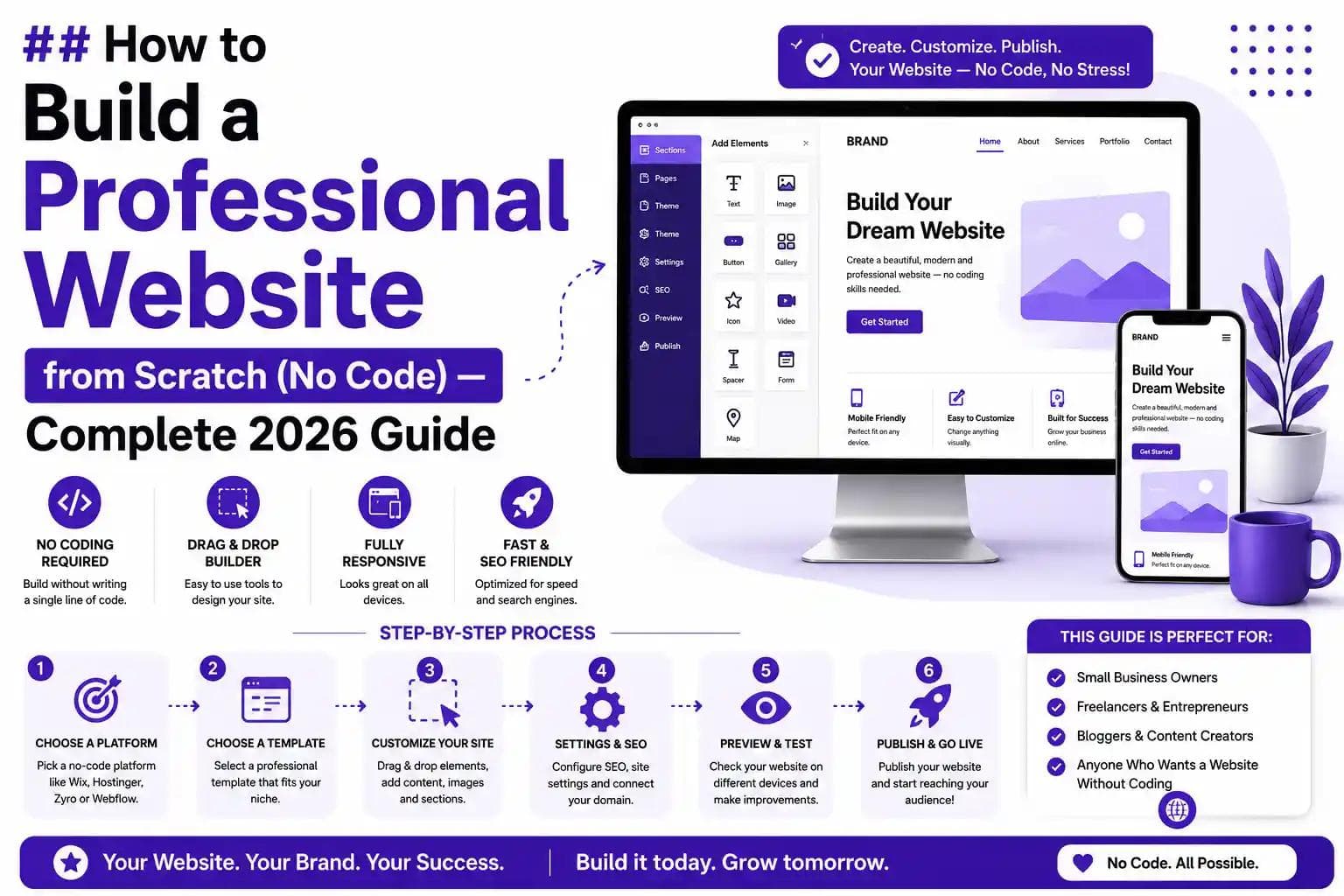
Introduction: You Don't Need to Know Coding to Build a Professional Website
Let's be honest — most people think building a website requires years of programming experience, thousands of rupees, and a computer science degree. That's simply not true anymore.
Today, you can build a professional, fully functional, and visually stunning website from scratch — without writing a single line of code. Whether you want to launch a business website, an online store, a portfolio, or a blog, the tools and platforms available in 2026 make it easier than ever.
In this complete step-by-step guide, you will learn exactly how to build a professional website from scratch using no-code tools — especially WordPress — along with practical tips on domain names, web hosting, SEO optimization, and how to turn your website into a real income stream. This guide is especially tailored for beginners in Pakistan who want to build their digital presence or start a freelancing career.
Let's dive in.
What Is a No-Code Website and Why Does It Matter?
A no-code website is a website you build using visual drag-and-drop tools and pre-designed templates — no HTML, CSS, JavaScript, or programming knowledge required. You simply choose a layout, add your content, and publish.
No-code website development has completely changed the digital landscape. According to research published by platforms like Gartner and Forbes, the no-code and low-code development market is expected to exceed $65 billion globally by 2027. This means millions of businesses, entrepreneurs, and freelancers are already using no-code tools to establish a strong online presence for business — without hiring expensive developers.
For people in Pakistan — whether in Islamabad, Lahore, Karachi, Rawalpindi, or Faisalabad — this is a massive opportunity. You can learn WordPress website development, offer WordPress services in Pakistan, and build a career or business that generates consistent income both locally and internationally.
Why Building a Website Is So Important in 2026
Before we get into the how, let's talk about the why.
Every business, freelancer, educator, or entrepreneur needs a website in 2026. Here's why:
- A professional website builds trust and credibility with your audience.
- It gives you 24/7 visibility — your website works while you sleep.
- It opens doors to freelancing, ecommerce, blogging, and digital marketing income.
- Google searches happen billions of times per day — a properly optimized website can bring you consistent organic traffic for free.
- In Pakistan, the IT and freelancing sector is booming. The government's Pakistan Freelancing Training Program and increasing internet penetration have created a massive demand for skilled web developers and WordPress experts.
If you're wondering whether this is the right time to build your website or learn web development — the answer is a definitive yes.
For a broader look at the digital industry landscape, read our guide on IT Industry Key Strategies for Business Growth.
Step 1 — Choose Your Website Platform (WordPress vs Website Builders)
The very first decision you need to make is: which platform will you use to build your website?
WordPress.org vs WordPress.com — What's the Difference?
This is one of the most common questions beginners ask.
WordPress.org is the self-hosted, open-source version of WordPress. You download it, install it on your own hosting server, and have 100% control over your website — themes, plugins, design, monetization, everything. This is what professionals use. This is what you should use.
WordPress.com is a hosted service where WordPress manages your site on their servers. It's free to start but very limited — you can't install custom plugins, you're stuck with limited themes, and your website carries a "wordpress.com" subdomain which looks unprofessional.
For a professional website, always go with WordPress.org.
Why WordPress Is the Best Platform for Beginners
WordPress powers over 43% of all websites on the internet. That's not a coincidence. It's beginner-friendly, deeply customizable, and supported by the largest community of developers and designers in the world. With the WordPress Gutenberg editor and page builders like Elementor, you can build beautiful layouts visually without writing a single line of code.
WordPress also offers:
- Thousands of free and premium WordPress themes
- Thousands of WordPress plugins for every functionality you need
- Built-in blogging capabilities
- Full SEO control with plugins like Yoast SEO
- WooCommerce for ecommerce store setup
- Mobile-friendly, responsive website design by default
Other No-Code Website Builder Options
If you're not ready for WordPress yet, here are other popular no-code website builders you can consider:
- Wix — Great for simple personal or small business websites. Drag-and-drop, very beginner-friendly.
- Squarespace — Known for beautiful design templates. Best for creatives and portfolios.
- Webflow — A more powerful no-code platform for designers who want advanced control.
- Canva Websites — Super simple, great for landing pages.
- Framer — Popular for modern, animated portfolio websites.
However, for anyone serious about building a career, starting a business, or pursuing freelancing in Pakistan, WordPress remains the top choice due to its flexibility, scalability, and global demand.
Step 2 — Register Your Domain Name
Your domain name is your website's address on the internet — for example, idtsdigital.com. Choosing the right domain name is a critical first step.
How to Choose the Best Domain Name for Your Website
- Keep it short, memorable, and easy to spell.
- Use your business name or relevant keywords where possible.
- Prefer .com extensions for international credibility. Use .pk for Pakistan-focused businesses.
- Avoid numbers, hyphens, and confusing spellings.
- Check domain name availability before finalizing.
Where to Buy Your Domain Name
You can register your domain from trusted registrars. For affordable domain name registration with excellent support, we recommend Hostinger Pakistan — they offer domain names at highly competitive prices, often bundled with hosting plans at a special discounted rate.
Use the referral link above to get a special discounted offer on domain and hosting: Hostinger Pakistan — Special Discounted Hosting & Domain Offer
Step 3 — Choose the Right Web Hosting for WordPress in Pakistan
Web hosting is the service that stores your website's files and makes them accessible on the internet. Think of your domain name as your address and web hosting as the land your house sits on — you need both.
What to Look for in a WordPress Hosting Plan
- Speed and performance — Page load speed directly affects your SEO ranking and user experience.
- Uptime guarantee — Look for 99.9% uptime or better.
- One-click WordPress installation — Makes setup extremely easy.
- SSL certificate included — Essential for website security and Google ranking.
- Customer support — 24/7 live support is critical for beginners.
- Affordable pricing — Especially important for students and beginners in Pakistan.
Best Web Hosting for WordPress in Pakistan
For beginners and professionals alike, Hostinger is one of the most recommended web hosting providers for WordPress in Pakistan. It offers:
- Extremely fast loading times with LiteSpeed servers
- Free SSL certificate with every plan
- Free domain name on selected plans
- One-click WordPress installation
- Affordable pricing starting from very low monthly rates
- Excellent customer support
👉 Get a special discount on Hostinger hosting here: Hostinger Pakistan — Special Discounted Hosting & Domain Offer
This is also one of the best options for anyone looking for free domain and hosting for WordPress in Pakistan when using bundled offers.
Step 4 — Install WordPress (It Takes Less Than 5 Minutes)
Once you've purchased your hosting plan, installing WordPress is incredibly simple.
How to Install WordPress on Hostinger (Step by Step)
- Log into your Hostinger control panel (hPanel).
- Go to "Website" and click "Auto Installer."
- Select WordPress from the list.
- Fill in your website name, admin username, and password.
- Click Install.
- WordPress will be installed in under 2 minutes.
- Access your WordPress dashboard at yourdomain.com/wp-admin.
That's it. You now have a live WordPress installation ready to be customized.
Step 5 — Choose a Professional WordPress Theme
A WordPress theme controls the visual appearance of your website — layout, colors, fonts, and structure. The good news is you don't need to design anything from scratch.
Free vs Premium WordPress Themes
Free Themes — Available directly from the WordPress Theme Directory. The Astra WordPress theme is one of the most popular free themes globally due to its speed, flexibility, and compatibility with Elementor. Others worth considering include OceanWP, Hello Elementor, and GeneratePress.
Premium Themes — Available from marketplaces like ThemeForest and Envato. Premium WordPress themes often come with pre-built website demos, advanced customization options, and dedicated support. They typically cost between $30–$80 as a one-time purchase.
How to Install a WordPress Theme
- Go to your WordPress Dashboard.
- Click Appearance > Themes > Add New.
- Search for your chosen theme (e.g., Astra).
- Click Install and then Activate.
Your website now has a professional look. Now it's time to build your pages.
Step 6 — Install Elementor and Build Your Pages (No Code Drag and Drop)
Elementor is the world's most popular WordPress page builder plugin. It lets you design every part of your website visually using a drag-and-drop interface — no coding required.
How to Install Elementor
- Go to WordPress Dashboard > Plugins > Add New.
- Search "Elementor."
- Click Install and Activate.
Once installed, you can edit any page using the Elementor visual editor. Simply drag widgets — text blocks, images, buttons, forms, galleries — and drop them wherever you want on the page.
Essential Pages Every Professional Website Should Have
A professional website must have these core pages:
- Home Page — Your first impression. Make it clear, fast-loading, and conversion-focused.
- About Us Page — Tell your story. Build trust and authority.
- Services Page — Clearly explain what you offer.
- Portfolio/Projects Page — Showcase your work with real examples.
- Blog Page — Drives SEO traffic and establishes authority.
- Contact Us Page — Include a contact form, WhatsApp link, email, and phone number.
For a well-structured website that converts visitors into clients, you can also explore the professional WordPress Website Development Services at IDTS Digital — where experts handle everything for you.
Step 7 — Install Essential WordPress Plugins
WordPress plugins extend the functionality of your website. Here are the must-have plugins every professional website needs:
SEO Plugins
- Yoast SEO or Rank Math — The best WordPress SEO plugins for on-page optimization, meta tags, XML sitemaps, and schema markup.
Security Plugins
- Wordfence or iThemes Security — Protects your website from hackers, malware, and brute force attacks.
Speed Optimization Plugins
- WP Rocket or LiteSpeed Cache — Dramatically improves page load speed, which is critical for both user experience and Google ranking. Learn more about WordPress Speed Optimization in 2026 to get the best results.
Backup Plugins
- UpdraftPlus — Automatically backs up your entire website to Google Drive or Dropbox.
Contact Form Plugins
- WPForms or Contact Form 7 — Easy drag-and-drop contact form setup.
Analytics
- Google Site Kit — Integrates Google Analytics directly into your WordPress dashboard for tracking visitors, traffic sources, and behavior.
Step 8 — Make Your Website SEO Friendly
Building your website is just the beginning. To get traffic from Google, you need to optimize it for search engines. This is called Search Engine Optimization (SEO).
On-Page SEO Basics for Beginners
- Use your primary keyword in your page title (H1), first 100 words, URL, and meta description.
- Add H2 and H3 subheadings throughout your content with related keywords.
- Optimize all images with descriptive alt text.
- Create an XML sitemap and submit it to Google Search Console.
- Add a robots.txt file to guide search engine crawlers.
- Build an internal linking structure connecting your pages together (just like this article does).
- Ensure your website loads in under 3 seconds.
- Install an SSL certificate — Google gives a ranking boost to secure (HTTPS) websites.
For a comprehensive deep-dive, read our complete guide on SEO 2026 — The Ultimate Google Ranking Guide.
Local SEO for Pakistani Businesses
If you're targeting clients in Pakistan specifically, local SEO is your most powerful weapon. Optimize your Google Business Profile, include location-specific keywords like "WordPress services in Islamabad" or "web development company in Lahore" throughout your website, and build local citations.
Read our full guide on Local SEO for Small Business in 2026 to dominate local search results.
Step 9 — Make Your Website Mobile Friendly and Fast
Over 70% of internet users in Pakistan browse on mobile phones. A website that looks broken on mobile will lose visitors immediately and rank lower on Google.
How to Make Your Website Mobile Friendly Without Coding
- Use a responsive WordPress theme (Astra, OceanWP, Hello Elementor — all are mobile-friendly by default).
- In Elementor, switch to the "Mobile View" to check and adjust your layout for smaller screens.
- Keep buttons large enough to tap easily.
- Avoid large, heavy images — compress them before uploading using tools like TinyPNG or ShortPixel.
- Test your website on Google's free Mobile-Friendly Test tool.
Website speed and mobile-friendliness are two of the top ranking signals in Google's 2026 algorithm. Don't ignore them.
Step 10 — Set Up Your Ecommerce Store with WooCommerce
Want to sell products or services directly from your website? WordPress makes this easy with WooCommerce — the world's most popular ecommerce plugin, used to power over 28% of all online stores globally.
How to Create an Ecommerce Store Using WordPress
- Install the WooCommerce plugin from the WordPress plugin directory.
- Follow the setup wizard — add your store location, currency, and payment methods.
- Add your products with images, descriptions, and prices.
- Set up your shipping zones and rates.
- Choose a payment gateway — JazzCash, EasyPaisa, or Stripe are popular options in Pakistan.
- Publish your store.
Your ecommerce website is now live and ready to accept orders.
If you need expert help with your online store, explore the professional Web Development Services at IDTS Digital for custom WooCommerce solutions.
Website Cost in Pakistan — What Should You Budget?
One of the most common questions from beginners is: how much does it cost to build a website in Pakistan?
Here's a realistic breakdown:
- Domain Name: PKR 1,500 – 3,000 per year (approximately)
- Web Hosting (Hostinger): Starting from PKR 500 – 1,500 per month depending on the plan
- Premium WordPress Theme: PKR 5,000 – 15,000 (one-time)
- Elementor Pro (optional): Around PKR 8,000 – 15,000 per year
- SSL Certificate: Free with most hosting providers
- Professional Web Developer (if hiring): PKR 20,000 – 100,000+ depending on complexity
For a detailed breakdown with updated 2026 pricing, read our dedicated article on Website Cost in Pakistan 2026.
The best part? You can get started with as little as PKR 3,000–5,000 using Hostinger's discounted bundles. Use our referral link for the best price: Hostinger Pakistan Special Offer.
How to Learn WordPress — Free and Paid Resources in Pakistan
Now that you know the steps, you might be asking: where can I learn all of this properly?
Free Resources to Learn WordPress
- WordPress.org official documentation — Comprehensive and free.
- YouTube — Search "WordPress course for beginners" and you'll find hundreds of complete tutorials in both English and Urdu.
- W3Schools and Coursera — Both offer free web development and WordPress learning resources.
Best WordPress Course in Pakistan — IDTS Digital
For structured, hands-on learning with real projects, mentorship, and a certificate, nothing beats a professional course. IDTS Digital offers one of the best WordPress and web development courses in Pakistan — available online and in Islamabad, with students joining from Lahore, Karachi, Rawalpindi, Faisalabad, and Peshawar.
At IDTS Digital, you'll learn:
- WordPress from beginner to advanced level
- Elementor page builder for professional no-code design
- WooCommerce for ecommerce store setup
- WordPress SEO optimization using Yoast and Rank Math
- Website speed optimization techniques
- How to launch and market your WordPress services in Pakistan
- How to find freelancing clients on Fiverr, Upwork, and Freelancer.com
IDTS Digital students don't just learn — they build real projects, earn certifications, and launch their freelancing careers during the course itself.
👉 Explore All IT Courses at IDTS Digital
Freelancing with WordPress in Pakistan — Is It Profitable?
Absolutely. WordPress is one of the most in-demand freelancing skills in Pakistan and globally.
On platforms like Fiverr and Upwork, WordPress developers from Pakistan charge anywhere from $50 to $500+ per website project, depending on their experience and niche. Many established WordPress freelancers in Pakistan earn between PKR 100,000 and PKR 500,000 per month.
The demand for WordPress services — including WordPress speed optimization, custom theme development, WooCommerce setup, and WordPress SEO services — continues to grow every year as more businesses move online.
If you want to start your freelancing journey the right way, read our comprehensive guide on How to Start Freelancing in Pakistan 2026.
Also check out our article on How to Write a Winning Fiverr Proposal to land your first client fast.
Digital Marketing for Your Website — Getting Traffic After Launch
Building your website is step one. Getting people to visit it is step two — and arguably more important.
Here are the key digital marketing strategies to grow your website traffic:
Search Engine Optimization (SEO)
The most sustainable, long-term traffic source. With proper on-page SEO, keyword research, and backlink building, your website can rank on Google's first page and attract thousands of visitors monthly — for free. Learn the full strategy in our SEO 2026 Google Ranking Guide.
Social Media Marketing
Share your content on Facebook, Instagram, LinkedIn, and TikTok to drive traffic and build your brand. Read our guide on Social Media Marketing Strategies for Small Business.
Google Ads vs Facebook Ads
When you're ready for paid advertising, choosing the right platform matters. Read our detailed comparison of Google Ads vs Facebook Ads in 2026 to make an informed decision.
Content Marketing and Blogging
Publishing regular blog articles on topics your audience searches for is one of the most powerful long-term traffic strategies. Explore our professional Content Writing and Blogging Services if you need expert help.
AI Chatbots for Customer Engagement
Once your website starts getting traffic, an AI chatbot can dramatically improve lead capture and customer support. Read about AI Chatbot Customer Support in Pakistan to see how it works.
Why Choose IDTS Digital for WordPress and Web Development Training?
There are many IT institutes and online courses available in Pakistan. So why is IDTS Digital the right choice?
Here's what makes IDTS Digital stand out:
- Practical, project-based learning — You don't just watch videos. You build real websites from day one.
- Experienced instructors — Industry professionals with real-world client experience.
- Certificate on completion — A recognized WordPress course with certificate that adds value to your CV and Fiverr profile.
- Online and in-person options — Whether you're in Islamabad, Lahore, Karachi, or anywhere else in Pakistan, you can join online.
- Career support — Students get guidance on freelancing, job placement, and building their portfolio.
- Affordable course fees — Competitive pricing with installment options.
- Covers everything — From domain name registration and WordPress setup to SEO, Elementor, WooCommerce, and freelancing.
Beyond courses, IDTS Digital also offers full professional WordPress services in Pakistan — including custom website design, WordPress speed optimization, WordPress SEO service Pakistan, and WordPress maintenance services.
👉 View All Web Development Services at IDTS Digital 👉 Explore WordPress Website Development Services 👉 Meet the IDTS Digital Team
Future Career Opportunities in Web Development — Pakistan and Beyond
The scope of web development in Pakistan and globally has never been stronger.
Here are the career paths available after mastering WordPress and web development:
- Freelance WordPress Developer — Work with clients globally on platforms like Fiverr, Upwork, and Freelancer.com.
- Full-Time Web Developer — Companies across Pakistan's IT hubs in Islamabad, Lahore, and Karachi are actively hiring.
- Digital Marketing Specialist — Web development knowledge paired with SEO and content marketing is a powerful combination.
- Web Design Agency Owner — Build your own team and offer professional web development services in Pakistan.
- WooCommerce/eCommerce Specialist — High-demand niche for building online stores.
- UI/UX Designer — Combine design skills with WordPress knowledge for higher-paying opportunities. Explore our UI/UX Designing Services to understand what this career looks like.
The Best Digital Marketing Course in Pakistan at IDTS Digital can further complement your web development skills for a well-rounded digital career.
Also explore opportunities in Data Analytics Career in Pakistan 2026 as data-driven decision-making becomes increasingly important in web and digital marketing.
Frequently Asked Questions (FAQs)
How do I build a website from scratch for free?
You can build a free website using WordPress.com's free plan or Wix's free tier. However, for a truly professional website, you'll need to invest in a domain name and hosting — both of which are available at very affordable prices through Hostinger Pakistan. The investment is minimal compared to the long-term value of a professional online presence.
Can I build a website without knowing how to code?
Yes, absolutely. Using WordPress with Elementor page builder, you can build a fully professional website using visual drag-and-drop tools — zero coding required. Millions of websites globally are built this way, including many professional business websites in Pakistan.
What is the best platform to build a website without coding?
WordPress.org with Elementor is the best no-code website development platform for most users — especially those who want professional results, scalability, and SEO control. For simpler needs, Wix and Squarespace are good alternatives.
Is WordPress easy for beginners?
Yes. WordPress has a beginner-friendly dashboard, and with page builders like Elementor, you don't need any technical knowledge to design and manage your website. With a structured WordPress course for beginners in Pakistan — like those offered at IDTS Digital — you can go from zero to building client websites in a matter of weeks.
How long does it take to build a professional website?
A basic professional website can be built in 1–3 days once you understand the platform. A more complex website with ecommerce, advanced SEO, and custom design may take 1–4 weeks. Taking a proper WordPress training course significantly reduces this timeline.
What is the cost of building a website in Pakistan?
A basic website costs approximately PKR 5,000–15,000 for domain and hosting, plus optional premium theme and plugin costs. Hiring a professional web developer in Pakistan can range from PKR 20,000 to PKR 150,000+. Read our full breakdown in the Website Cost in Pakistan 2026 guide.
What plugins do I need for a professional WordPress website?
The essential plugins are: Yoast SEO or Rank Math (SEO), Elementor (page builder), WPForms (contact forms), Wordfence (security), WP Rocket or LiteSpeed Cache (speed), UpdraftPlus (backups), and WooCommerce if you need ecommerce functionality.
Is freelancing with WordPress profitable in Pakistan?
Yes — very profitable. WordPress developers in Pakistan earn between PKR 50,000 and PKR 500,000+ per month through platforms like Fiverr and Upwork. The demand for WordPress services in Pakistan and globally continues to grow. Read our guide on How to Start Freelancing in Pakistan 2026 for a detailed roadmap.
How do I make my website rank on Google?
Focus on on-page SEO (title tags, meta descriptions, keywords, headings), publish high-quality content regularly, improve your page load speed, earn backlinks from authoritative websites, and submit your sitemap to Google Search Console. Read our complete SEO 2026 Google Ranking Guide for a full strategy.
Conclusion — Build Your Website Today and Start Your Digital Journey
Building a professional website from scratch without coding is no longer complicated, expensive, or out of reach. With WordPress, Elementor, and a reliable hosting provider like Hostinger Pakistan, you have everything you need to launch a world-class website in a matter of days.
Whether your goal is to start a business, build a freelancing career, or establish a powerful digital presence — the steps are clear, the tools are accessible, and the opportunity in Pakistan's growing digital economy is enormous.
The best time to build your website was yesterday. The second-best time is right now.
🚀 Ready to Take the Next Step?
Book a seat in the Advanced WordPress & Web Development Course at IDTS Digital — Pakistan's leading practical IT training institute. Learn step by step from industry experts, build real websites, get certified, and launch your freelancing career with full support.
👉 Enroll in the WordPress Course at IDTS Digital 👉 Explore All IT Services at IDTS Digital 👉 Contact IDTS Digital for a Free Consultation 👉 Get Special Discount on Domain & Hosting via Hostinger Pakistan